Everyone asks it eventually: do I actually need a camera to photograph the Milky Way?
It’s a fair question. The shot you see on Instagram, the glowing arc over a mountain or a lone figure under a canopy of stars, looks like it demands professional gear.
It usually doesn’t.
The photos you are about to see in this article were taken with smartphones. Not some special magical device. Regular phones like the one in your pocket right now.
What can a phone actually produce? Where does a dedicated camera pull ahead? And which should you start with?

Anthony’s breakdown of the $3k camera vs smartphone comparison, using real Smartphone Astrophotographer of the Year entries.
Where a dedicated camera genuinely wins
There is no point pretending a smartphone and a full-frame mirrorless are the same thing. They are not.
Larger sensors gather more light, which means less noise, cleaner star detail and more flexibility with exposure times. The Sony a7R V, the most commonly used camera among shortlisted entries in the Astronomy Photographer of the Year competition, costs north of $3,000 before you add a fast wide-angle lens (typically another $1,000-$2,000).
You can attach a fast prime at f/1.4 or f/1.8 to a mirrorless body and let in dramatically more light than a phone’s fixed lens. That means shorter exposures, sharper stars and more forgiving conditions on an imperfect night.
Manual control is also more capable. A mirrorless gives you physical dials for aperture, shutter speed, ISO and focus. On a phone, aperture is fixed and manual control, where it exists, is buried in menus or requires a third-party app.
Galaxies, nebulae, star clusters, these are largely off the table for smartphones without dedicated stacking apps and very dark skies. A camera with a star tracker opens a completely different world.
If you already love astrophotography and are hitting the ceiling of what your phone can produce, a camera upgrade makes sense. But that ceiling is higher than most people think.
Where the phone wins
You already own it. I started on a Google Pixel 3a. It was so old it had stopped receiving security updates before I replaced it. The camera was still genuinely good for night sky photography. The phone you have right now, even if it is a few years old, is almost certainly good enough.
It is always in your pocket. The best camera for any photograph is the one you have with you. A mirrorless kit lives in a bag at home. Your phone is already with you when you park up at 1 a.m. and notice the sky has cleared.
No extra lenses to buy. The lenses are built in. A basic tripod and a phone clamp (around $5) are the only accessories you genuinely need.
Computational photography does the hard work. This is the one people underestimate most.
Google Pixel phones (from the 4 upwards), Samsung Galaxy Ultra models and Xiaomi phones all have dedicated astrophotography modes built into the native camera app. They automatically take multiple long exposures, stack them, process the result and hand you a finished image in a few minutes.
Stacking matters enormously in astrophotography. Because the light from the Milky Way is so faint, a single 30-second exposure rarely captures everything. Taking 20 or 50 or 100 frames and combining them builds up signal while averaging out noise. Phones with dedicated astro modes do this automatically.
iPhones do not have an astro mode but Night Mode is strong, and apps like Halide or ProCam unlock full manual control.
The learning curve is lower. Point your phone at a dark sky, press the astro mode button and you will get something on the first attempt. Getting the same from a mirrorless in manual mode takes practice.
What a phone realistically produces
A phone photograph of the Milky Way will show you the core, the colour, and the band.
The arch of the galaxy. The warm orange and pink tones of the galactic centre. Enough of the scene to make someone stop scrolling.
Without advanced stacking, you will not get the fine star detail, the dark dust lanes or the subtle nebulosity you see in heavily processed camera images. Faint objects like the Andromeda Galaxy or the Orion Nebula require either very dark skies or a camera-and-tracker setup to do properly.
The Milky Way arch over a good foreground, shot cleanly, is a genuinely compelling photograph. That is absolutely achievable with a phone.
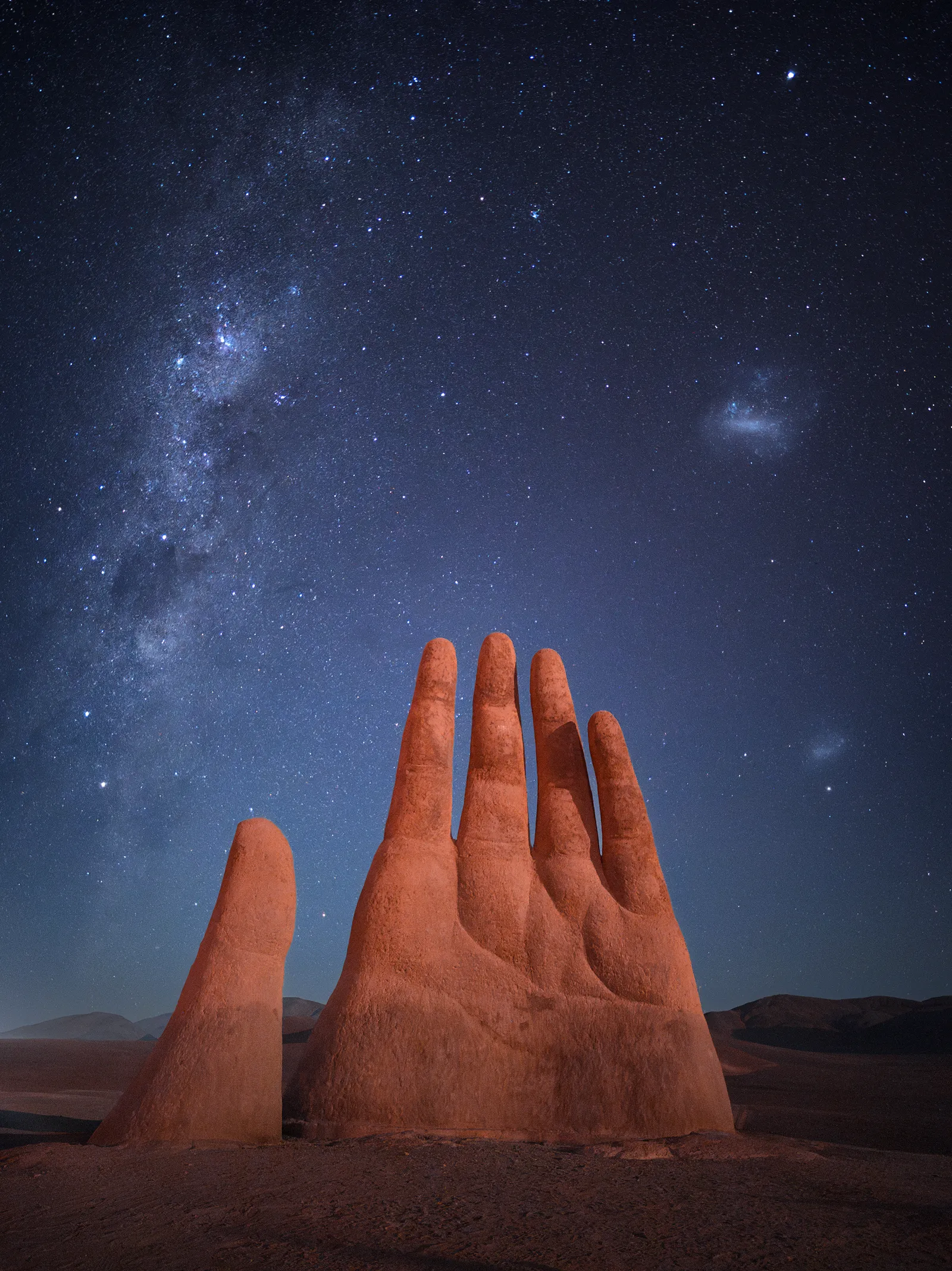 Xiaomi 14 Ultra, single exposure, ISO 2000, f1.6, 30s. Photo: Mihail Minkov, Smartphone Astrophotographer of the Year.
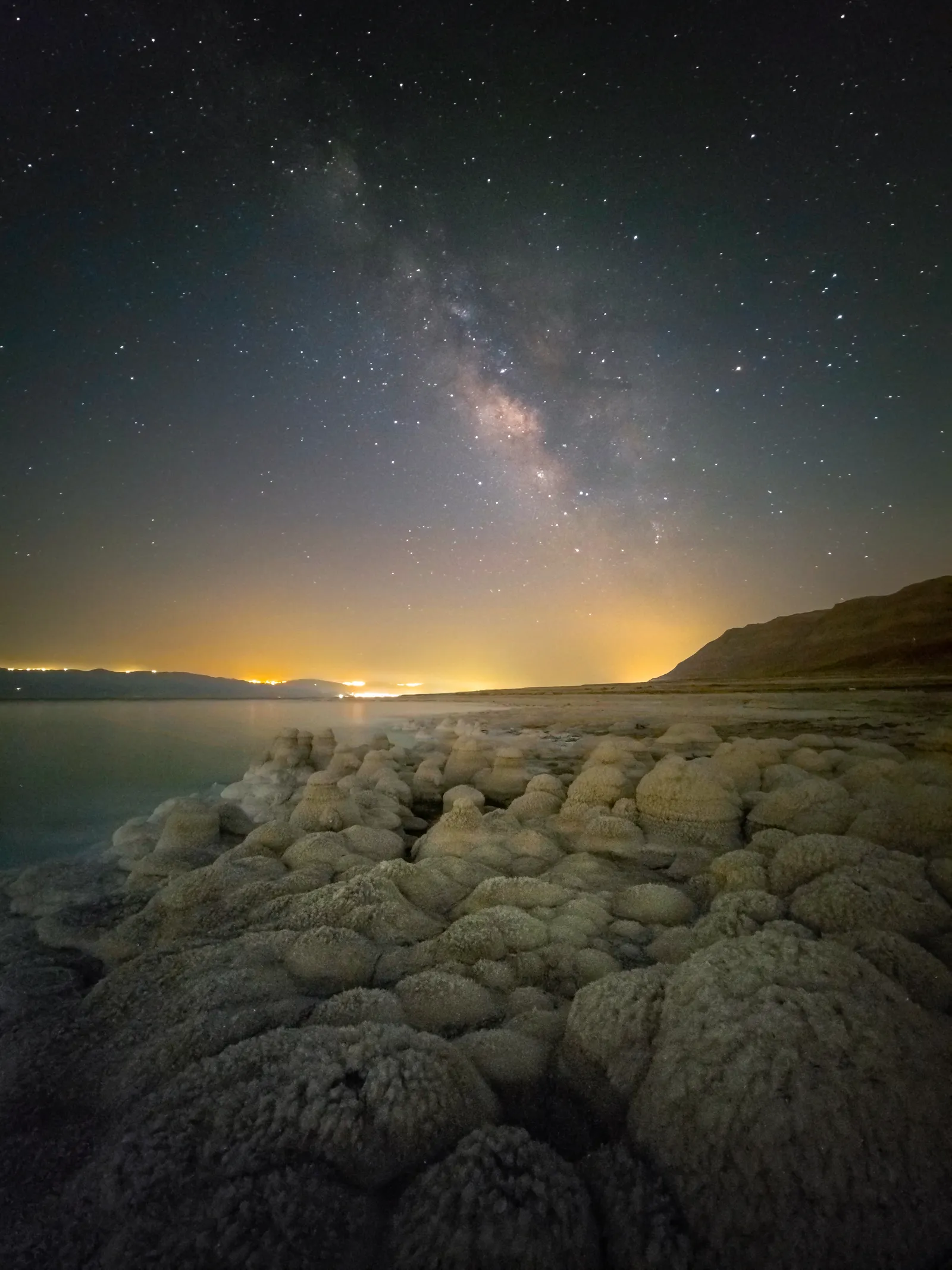 Samsung Galaxy S22 Ultra, astrophoto mode, 10 minutes. Photo: Alex Savenok, Smartphone Astrophotographer of the Year.
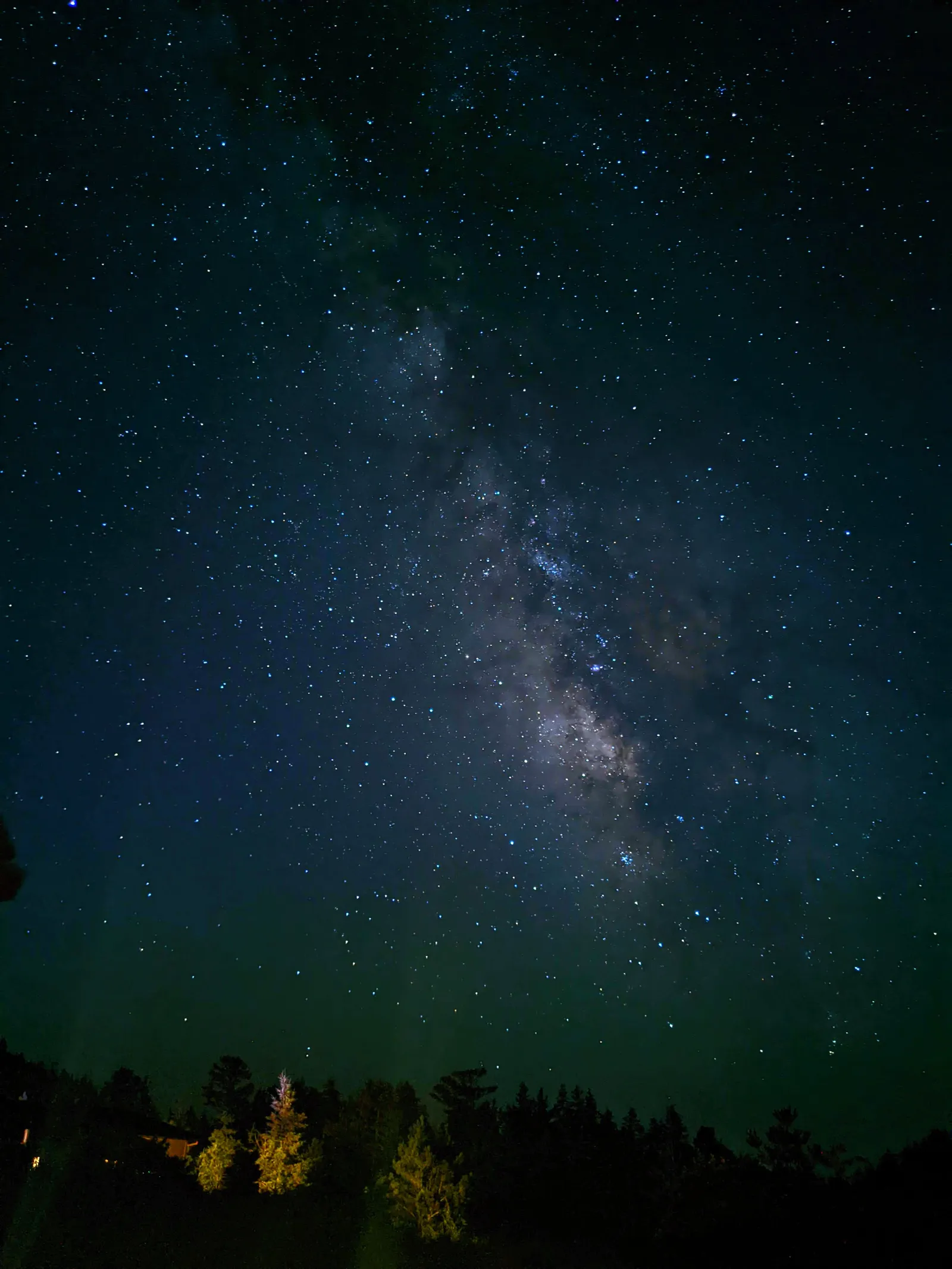 Google Pixel 4a, astrophotography mode. Photo: Sandra Regan, Smartphone Astrophotographer of the Year.
How good can a phone actually get?
Further than you probably expect.
Once you move into advanced techniques, manually stacking large numbers of frames, the quality gap between a phone and a dedicated camera narrows dramatically.
Rob Kerby shot a Milky Way image by stacking 120 frames of 15 seconds for the sky, combined with a separate foreground stack of 20 frames at 20 seconds each. The result compares to something produced on a $5,000 Sony and a $2,000 lens. That is not a rough comparison. It holds up.
That is an advanced workflow, not where you start. But the ceiling exists, and it is high.
The overall winner of Smartphone Astrophotographer of the Year 2026 was Mihail Minkov, shooting on a Xiaomi 14 Ultra, a single 30-second exposure at ISO 2000 in pro mode, captured in raw, processed in Photoshop. One frame. One phone.
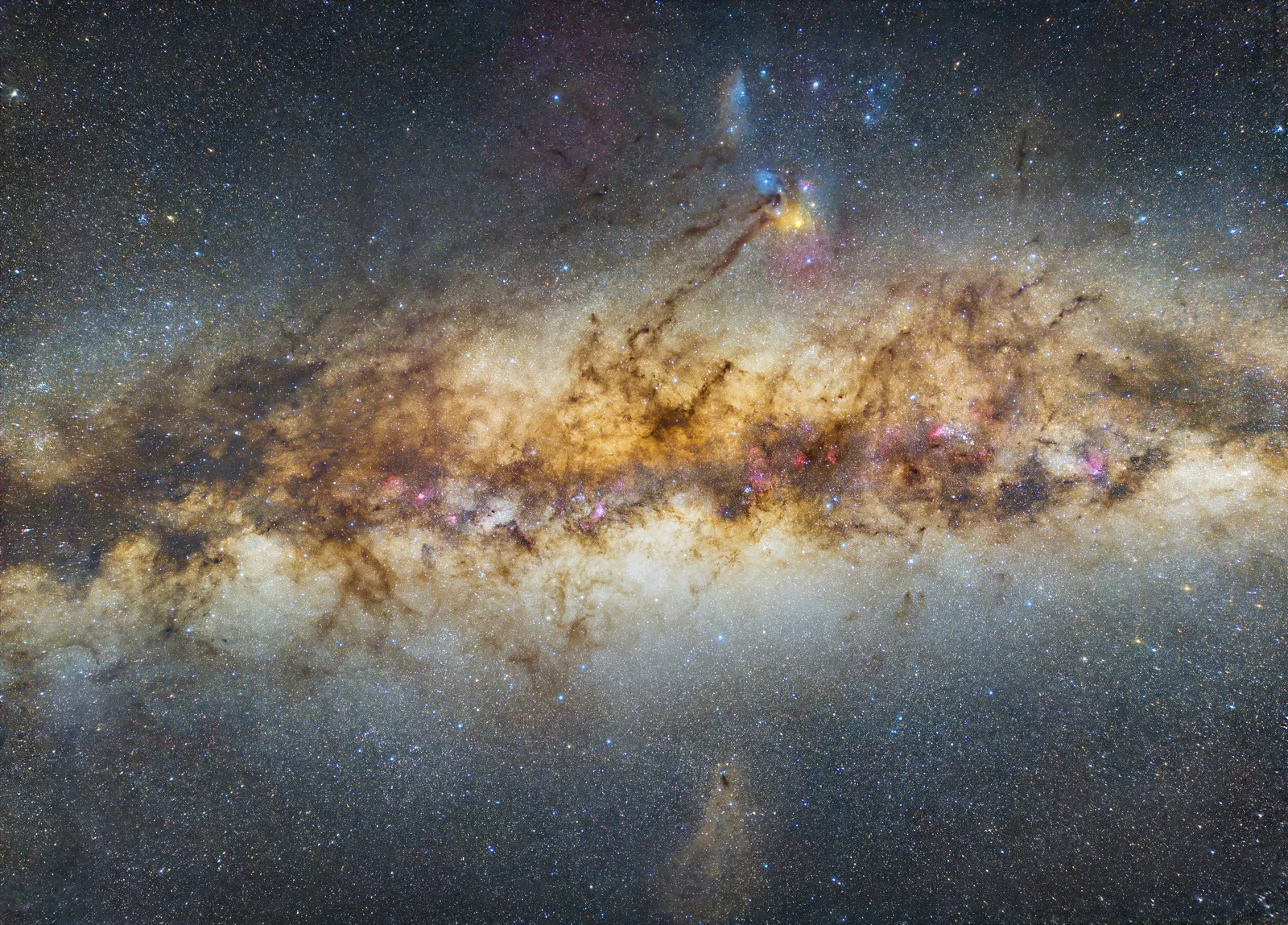 Xiaomi 12 with DeepSkyCamera Pro app, 250 frames at 55 seconds, ISO 400, f1.9, stacked. Photo: Lucas Gonçalves, Smartphone Astrophotographer of the Year.
This image, 250 stacked exposures from a mid-range Xiaomi, shows what is achievable when you put in the work. The Milky Way detail rivals results from cameras costing many times more.
Budget handsets feature throughout the competition results too. Sandra Regan’s shot above came from a Google Pixel 4a. Entries have come from older Huawei models and phones two or three generations behind current flagships. The phone is rarely the limiting factor.
The verdict
Start with your phone.
If you are wondering whether you need to spend $1,000-$3,000 on a camera before trying Milky Way photography, you don’t. Knowing where to go, when to go and how dark the sky needs to be matters far more than the sensor in your hand.
I shot the Milky Way on a Pixel 3a well past the point it should have been retired. It still produced images I was genuinely proud of.
Get the planning right. Get yourself under a dark sky. Use the phone in your pocket. If you fall in love with it, and there is a good chance you will, then think about upgrading. Gear is never the barrier it appears to be at the start.
For a full walkthrough of how to go from zero to your first Milky Way shot on your phone, start here: How to photograph the Milky Way with your phone.
When you are ready to think about which phone gives you the most headroom, this covers it: Best phones for astrophotography.
FAQ
Can a phone really photograph the Milky Way?
Yes. Any smartphone with a manual or night mode can capture the Milky Way, provided you are under genuinely dark skies, have a tripod and know when the galactic core is visible. Phones with dedicated astrophotography modes (Google Pixel, Samsung Galaxy Ultra, Xiaomi) make it even more straightforward.
Is an iPhone or a camera better for Milky Way photos?
For a first attempt, an iPhone is arguably the better starting point. It is already in your pocket, requires no extra investment and Night Mode produces a usable result quickly. A dedicated camera with a fast lens will outperform it on raw quality, particularly in marginal conditions. But for getting started, the iPhone is more than enough.
Will my phone ever match a DSLR or mirrorless camera?
For a single casual exposure, no. A large-sensor camera with a fast lens produces a technically cleaner image. With advanced stacking techniques, taking many frames and combining them in software, a modern flagship phone can produce results that genuinely rival cameras costing $5,000 or more. The gap is much smaller than it looks.
What is the cheapest way to start Milky Way photography?
Use the phone you already have. Add a tripod (around $10-15 for a basic model, or a $5 clamp for an existing tripod). Choose the right night (new moon, core visible, clear sky) and get as far from city lights as you can. That is the entire entry cost.